
How to Send Bulk Messages on WhatsApp Without Getting Blocked
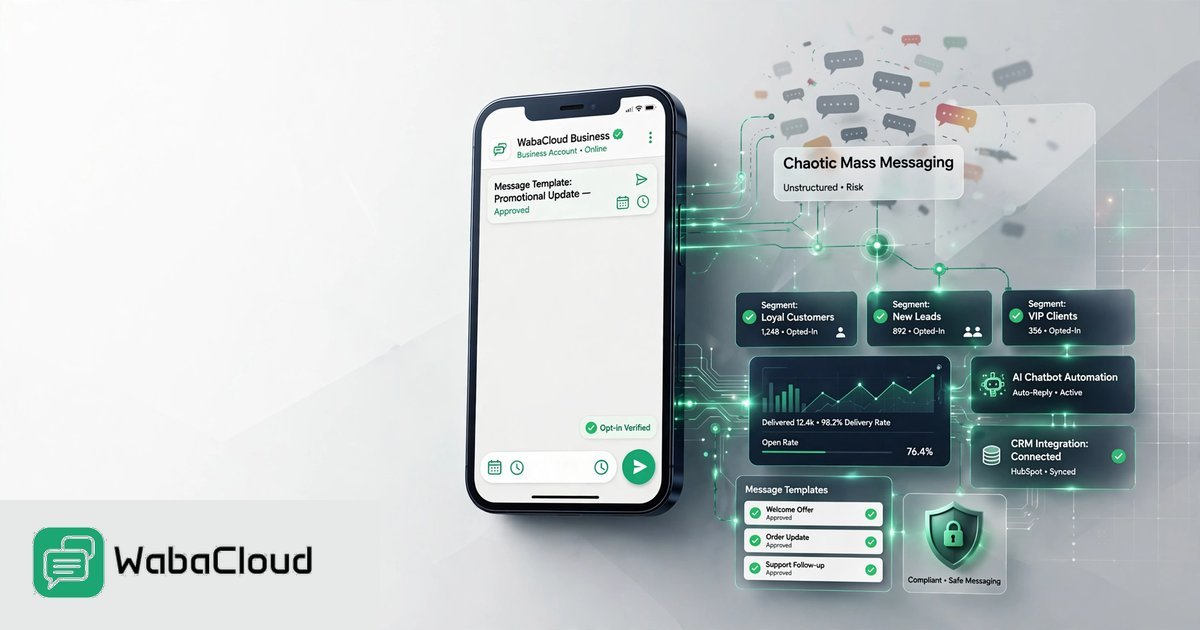
This blog explains how businesses can send bulk messages on WhatsApp safely in 2026 without increasing the risk of spam complaints or account restrictions. It covers the WhatsApp Business Platform, customer opt-ins, message templates, audience segmentation, personalization, opt-out management, messaging quality, automation and AI-powered WhatsApp marketing. It also explains how businesses can use WabaCloud to manage bulk campaigns, chatbots, team conversations and customer engagement at scale.

Parthiv Patil
Editorial Lead
Why Does WhatsApp Ban Accounts?
Before you can avoid a ban, you need to understand what
triggers one. WhatsApp uses machine learning algorithms and user feedback to
detect and ban millions of accounts every month. Here are the top three reasons
numbers get blocked:
- Using
Unofficial Third-Party Apps: If you use tools like WhatsApp Plus,
GBWhatsApp, or unauthorized chrome extensions to automate bulk sending,
your ban is almost guaranteed. WhatsApp’s system detects unauthorized
software instantly.
- High
"Block" or "Report Spam" Rates: If you send
messages to people who don't know you, they will click "Report
Spam." If WhatsApp sees a sudden spike in users blocking your number,
your account will be flagged and suspended.
- Sending
Promotional Blasts on the Standard App: The free WhatsApp Business App
is designed for small businesses communicating 1-on-1. Using its
"Broadcast" feature to blast promotional content to hundreds of
people who haven't saved your number violates Meta's terms of service.
Why Does WhatsApp Ban or Restrict Business Accounts?
The Secret: WhatsApp Business App vs. WhatsApp Business API
The most critical mistake businesses make is using the wrong
tool for the job.
If you are using the free WhatsApp Business App, you
are limited to broadcasting to just 256 contacts at a time—and crucially,
the message will only deliver to people who have your phone number saved in
their address book.
To send true bulk campaigns (to 1,000, 10,000, or even
100,000+ users) safely, you must use the official WhatsApp Business API.
The WhatsApp Business API is designed by Meta specifically
for medium and large businesses. It removes the 256-contact limit, doesn't
require the customer to have your number saved, and gives you a dedicated
framework to send marketing, utility, and authentication messages completely
legally.
To access the API, you need a trusted platform like WabaCloud, which connects
your business directly to Meta's infrastructure.
Integrate WhatsApp Business API Today
Access verified sending status, high deliverability rates, and full CRM dashboarding integrations.
6 Steps to Send Bulk Messages Without Getting Blocked
If you are ready to scale your messaging, follow this proven
framework to ensure your number stays in excellent standing with Meta.
1. Upgrade to the Official WhatsApp Business API
Ditch the sketchy automation extensions and move to the
official API. By connecting through an approved platform like WabaCloud, you
operate within Meta’s official guidelines. This is step one to immunity from
arbitrary bans.
2. Collect Explicit Opt-Ins
Just because you have a customer’s phone number doesn't mean
you have the right to WhatsApp them. Meta requires businesses to collect an
active opt-in.
- Do:
Add a checkbox at your website checkout ("Send my order updates and
offers via WhatsApp").
- Do:
Use Click-to-WhatsApp Ads to initiate conversations.
- Don't:
Buy databases of phone numbers online. Sending messages to cold, un-opted
lists is the fastest way to get reported and banned.
3. Warm Up Your WhatsApp Number
When you first get your API account, don't blast 50,000
users on day one. Meta uses a Tier system for messaging limits based on your
phone number's quality rating and history.
- Tier
1: 1,000 unique customers in a rolling 24-hour period.
- Tier
2: 10,000 unique customers in a rolling 24-hour period.
- Tier
3: 100,000 unique customers in a rolling 24-hour period.
- Tier
4: Unlimited messages.
Start by sending small batches of highly relevant messages
(like order updates or account alerts) to trusted customers. As your trust
score goes up, Meta will automatically bump you to the next tier.
4. Use Highly Relevant, Approved Message Templates
On the API, you cannot send free-form promotional messages
to initiate a chat. You must use Message Templates pre-approved by Meta.
When creating your templates, ensure they offer genuine
value to the customer. A template that reads, "Hey [Name], your cart is
waiting! Click here to complete your purchase with a 10% discount" is
likely to be approved and welcomed by the user.
5. Always Include an Opt-Out Mechanism (Unsubscribe)
Give people an easy way out. If a user doesn't want your
messages anymore and can't find a way to unsubscribe, their only option is to
click the "Block/Report" button.
Include a simple interactive button at the bottom of your
marketing templates that says "Stop Promos" or "Unsubscribe."
WabaCloud’s system can automatically detect these replies and remove the user
from your broadcast list, protecting your sender reputation.
6. Monitor Your Quality Rating
Meta gives every API number a Quality Rating (Green, Yellow,
or Red).
- Green:
High quality. Keep doing what you're doing.
- Yellow:
Medium quality. Some users are reporting your messages. Pause your
campaigns and adjust your targeting.
- Red:
Low quality. You are at risk of a tier downgrade or temporary restriction.
Always keep an eye on your dashboard analytics before
pushing a new massive campaign.
Integrate WhatsApp Business API Today
Access verified sending status, high deliverability rates, and full CRM dashboarding integrations.
How WabaCloud Makes Bulk Messaging Safe and Scalable
Managing opt-ins, template approvals, and customer replies
across thousands of messages is impossible to do manually. That’s where WabaCloud
bridges the gap.
As a comprehensive Business Communication Platform,
WabaCloud takes the friction out of WhatsApp marketing:
- Official
API Integration: Get set up in just 3 minutes directly with the Meta
Cloud API. No risk of bans from unauthorized software.
- Smart
Broadcast Campaigns: Build rich-media campaigns, schedule them, and
segment your audience to ensure the right message goes to the right
person.
- AI
Chatbot Builder: When you send a bulk message to 10,000 people,
hundreds will reply. WabaCloud’s autonomous AI can answer queries and
qualify leads 24/7, so your team doesn't get overwhelmed.
- Unified
Team Inbox: When human intervention is needed, chats route seamlessly
to your sales or support agents in a shared workspace.
- Campaign
Analytics: Track delivery rates, read receipts, and ROI in real time
to ensure your Quality Rating stays green.
Final Thoughts
Sending bulk messages on WhatsApp isn't about finding a
"hack" to bypass the system. It’s about leveraging the official tools
Meta provides and treating your audience's inbox with respect.
By migrating to the WhatsApp Business API, getting proper
opt-ins, and using a robust platform to manage your campaigns, you can unlock
unparalleled ROI without ever losing sleep over a blocked number.
Ready to scale your WhatsApp marketing safely?
Start your
free 10-day trial with WabaCloud today and send your first official API
broadcast in minutes. No credit card required.
Also Read
Boost Conversions with WhatsApp Business API
Scale your support and marketing campaigns on the official WhatsApp BSP platform operated by WabaCloud.