

WhatsApp has become one of the most important communication channels for businesses that want to connect with customers quickly and conveniently. But as a business grows, managing customer conversations manually through the regular WhatsApp Business app can become difficult.
This is where the WhatsApp Business API, officially part of the WhatsApp Business Platform, becomes important.
The WhatsApp Business API allows businesses to connect WhatsApp with customer support systems, CRMs, chatbots, automation tools and other business applications. It can help companies manage customer conversations at scale while creating more structured and personalized communication experiences.
In this guide, we will explain what WhatsApp Business API is, how it works, its features, benefits, use cases, automation possibilities, and how businesses can use it to improve customer engagement and growth in 2026.
What Is WhatsApp Business API?
The WhatsApp Business API is a business communication interface that allows companies to integrate WhatsApp messaging with their own software, CRM systems, customer-support platforms and automation solutions.
Unlike the standard WhatsApp Business app, the API is designed for businesses that need more advanced workflows, integrations and scalable customer communication.
The WhatsApp Business Platform includes WhatsApp Business APIs, including the Cloud API hosted by Meta.
Businesses can use the platform for activities such as:
- Customer support
- Order notifications
- Appointment reminders
- Lead follow-ups
- Marketing communication
- Customer service automation
- Chatbots
- Sales conversations
- CRM-based messaging
- Transactional notifications
The exact capabilities available to a business depend on its setup, use case, applicable policies and integrations.
Integrate WhatsApp Business API Today
Access verified sending status, high deliverability rates, and full CRM dashboarding integrations.
How Does WhatsApp Business API Work?
The WhatsApp Business API connects WhatsApp conversations with business systems.
A typical workflow can look like this:
Customer → WhatsApp → Business Platform/API → CRM/Chatbot/Team Inbox → Business Response
For example, imagine a customer visits an e-commerce website and asks about an order through WhatsApp.
The business can connect its WhatsApp communication system with its customer database. The customer may receive an automated order update, while a chatbot can handle common questions. If the conversation requires human assistance, it can be transferred to a customer-support agent.
This creates a more connected customer journey instead of requiring employees to manually manage every conversation.
WhatsApp Business API vs WhatsApp Business App
One of the most common questions businesses ask is the difference between the WhatsApp Business app and WhatsApp Business API.
| Feature | WhatsApp Business App | WhatsApp Business API |
|---|---|---|
| Designed for | Small businesses | Growing and larger businesses |
| Multiple Agents | Limited workflows | Team-based workflows possible |
| Automation | Basic | Advanced automation through integrations |
| CRM Integration | Limited | Extensive integration possibilities |
| Chatbots | Basic / Third-party options | Advanced chatbot integrations |
| Scalability | Limited | Designed for scalable business messaging |
| Custom Workflows | Limited | Highly customizable |
| Business Systems | Limited integrations | Can connect with CRM and other business platforms |
The API is particularly useful when a company needs structured communication between WhatsApp and its existing business technology.
Why Is WhatsApp Business API Important for Businesses?
Customers increasingly expect businesses to respond quickly and communicate through channels they already use.
WhatsApp can bring sales, marketing and customer support conversations into one familiar messaging environment.
For businesses, the API can help create workflows such as:
Lead Generation → Qualification → Follow-Up → Purchase → Order Updates → Support → Retention
Instead of treating every WhatsApp message as an individual conversation, businesses can build connected customer journeys.
This makes WhatsApp particularly relevant for e-commerce brands, service companies, education businesses, healthcare organizations where permitted, financial services, travel businesses and many other customer-facing industries.
Key Features of WhatsApp Business API
1. Business Messaging
Businesses can communicate with customers through structured WhatsApp messaging workflows.
For business-initiated conversations, WhatsApp requires approved message templates. Businesses must also obtain appropriate user opt-in and respect opt-out requests.
2. WhatsApp Message Templates
Message templates allow businesses to send predefined business-initiated messages for approved use cases.
Examples include:
- Order updates
- Appointment reminders
- Delivery notifications
- Payment notifications
- Account updates
- Marketing messages
Templates must comply with applicable WhatsApp requirements and policies.
3. WhatsApp Chatbots
Businesses can connect chatbots to WhatsApp to automate repetitive conversations.
A chatbot can help answer questions such as:
- What are your business hours?
- Where is my order?
- What services do you offer?
- How can I book an appointment?
- What is the price of this product?
- How can I contact support?
More complex questions can be transferred to human agents.
4. Team Inbox
A team inbox can help multiple employees manage customer conversations from a centralized environment.
Instead of keeping customer conversations scattered across individual devices, businesses can organize conversations by departments, agents, leads or support requirements.
5. CRM Integration
WhatsApp API can be integrated with CRM and other business systems to connect customer conversations with customer information.
This can help sales and support teams maintain better context throughout the customer journey.
6. Automation
Businesses can automate repetitive communication workflows such as:
- Lead responses
- Customer onboarding
- Appointment reminders
- Order notifications
- Follow-ups
- FAQs
- Support workflows
During the applicable customer-service window, automated responses are permitted, but WhatsApp requires businesses to maintain clear and direct escalation paths when automation is used.
Integrate WhatsApp Business API Today
Access verified sending status, high deliverability rates, and full CRM dashboarding integrations.
WhatsApp Business API for Marketing
WhatsApp can also be used as part of a broader marketing strategy.
Businesses can create campaigns around:
- Product launches
- Offers
- Promotions
- New arrivals
- Event invitations
- Personalized recommendations
- Customer re-engagement
However, marketing communication should be permission-based and relevant.
WhatsApp requires businesses to obtain user opt-in before sending subsequent WhatsApp messages and to respect requests to stop receiving communications.
This makes quality of communication more important than simply sending a large number of messages.
WhatsApp Business API for Sales
WhatsApp can become an important part of the sales funnel.
A potential customer can:
- Discover a product or service
- Start a WhatsApp conversation
- Ask questions
- Receive product information
- Speak with a sales representative
- Complete the purchase
- Receive post-purchase updates
This creates a conversational sales experience where customers do not necessarily have to leave the messaging environment to get answers.
WhatsApp Business API for Customer Support
Customer support is another major use case.
Businesses can use WhatsApp to provide:
- FAQs
- Order tracking
- Ticket updates
- Appointment information
- Service notifications
- Troubleshooting
- Human-agent support
Automation can handle repetitive questions while human agents focus on conversations that require judgment or personalized assistance.
WhatsApp Business API and AI Automation
One of the biggest opportunities in 2026 is combining WhatsApp Business API with AI.
An AI-powered WhatsApp chatbot can understand customer questions and provide contextual responses based on business information.
For example:
Customer: “I ordered yesterday. Where is my order?”
AI Assistant: “I can help you check that. Please share your order number.”
The AI system can then connect the conversation with business systems or hand the conversation to a human agent when required.
AI can help businesses improve:
- Response speed
- Lead qualification
- Customer support
- Product discovery
- Personalized communication
- FAQ automation
- Follow-up workflows
- Customer engagement
The goal should not simply be to automate everything. The goal is to create faster, more useful and more relevant customer conversations.
WhatsApp Business API for E-commerce
For e-commerce businesses, WhatsApp can become a powerful customer communication channel.
A typical customer journey could include:
Product Discovery → WhatsApp Inquiry → Purchase → Order Confirmation → Shipping Update → Delivery → Feedback
Businesses can also use WhatsApp to answer product questions, provide updates and support customers after purchase.
When combined with automation and AI, these workflows can reduce repetitive manual communication while maintaining a conversational experience.
WhatsApp Business API for Lead Generation
Businesses can also use WhatsApp to capture and qualify leads.
For example:
Advertisement → WhatsApp → AI/Chatbot → Lead Qualification → Sales Team
A chatbot can ask qualifying questions before sending the lead to a salesperson.
This can help sales teams spend more time on relevant prospects instead of manually responding to every initial inquiry.
WhatsApp Business API and CRM Integration
CRM integration can help businesses connect WhatsApp conversations with customer records.
Depending on the CRM and integration setup, businesses can build workflows around:
- New leads
- Existing customers
- Sales pipelines
- Follow-ups
- Customer support
- Purchase history
- Customer segmentation
This can turn WhatsApp from a simple messaging channel into part of a broader customer relationship system.
Is WhatsApp Business API Free?
The WhatsApp Business API should not be treated as a completely free business messaging solution.
Costs can depend on the WhatsApp Business Platform setup, message/conversation type, applicable Meta pricing and the solution or service provider being used.
Because WhatsApp pricing and commercial terms can change, businesses should check the latest official pricing and applicable charges before planning campaigns.
Integrate WhatsApp Business API Today
Access verified sending status, high deliverability rates, and full CRM dashboarding integrations.
WhatsApp Business API Best Practices
Businesses should follow responsible messaging practices when using WhatsApp at scale.
Use Proper Opt-In
Only message customers who have provided the required consent to receive WhatsApp communications.
Send Relevant Messages
Avoid sending irrelevant or unexpected messages.
Respect Opt-Out Requests
If customers ask to stop receiving messages, their preferences should be respected.
Use Approved Templates
Business-initiated conversations on the WhatsApp Business Platform require approved message templates.
Provide Human Escalation
Automated systems should provide a clear path to human support when necessary.
Monitor Customer Feedback
Blocks, reports and negative feedback can affect the quality of the customer experience and may contribute to restrictions.
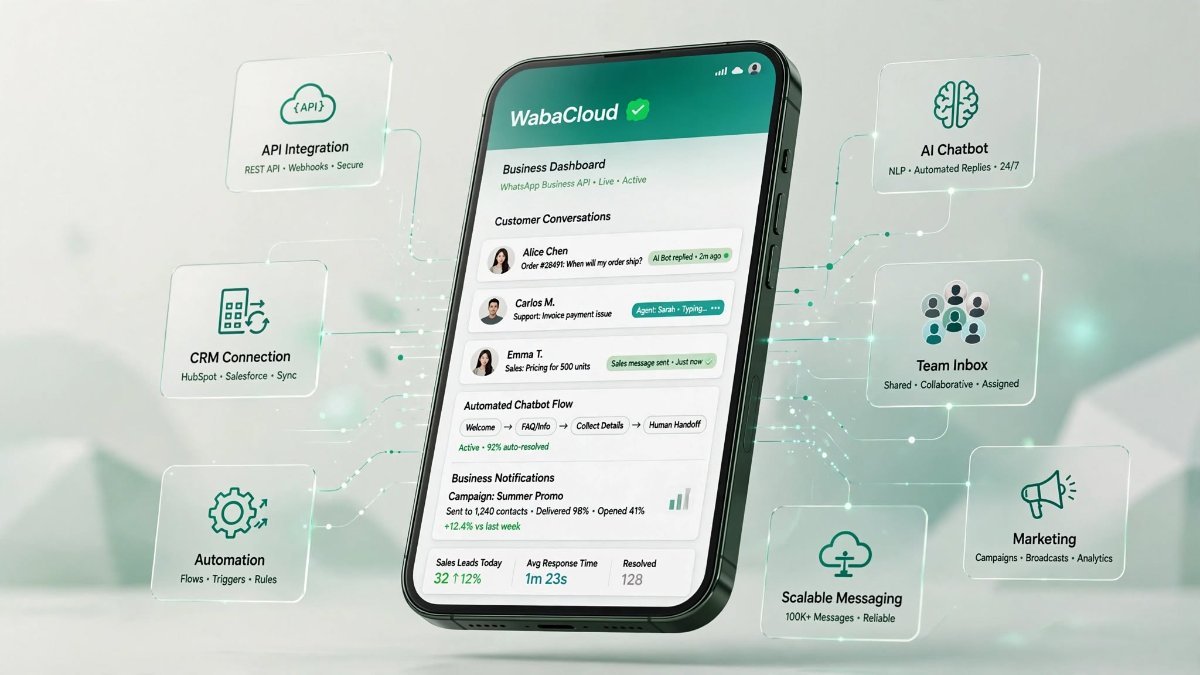
How WabaCloud Helps Businesses Use WhatsApp API
Managing WhatsApp communication at scale can become complicated when businesses have multiple agents, campaigns, customers and automation workflows.
WabaCloud, a brand by Quarec Resources, is designed to help businesses build structured WhatsApp communication workflows.
With solutions such as:
- Team Inbox
- WhatsApp automation
- Chatbot workflows
- Broadcast and campaign management
- Customer communication
- Lead management
- AI-powered conversations
businesses can bring different WhatsApp activities into a more organized workflow.
The objective is simple: turn WhatsApp conversations into a scalable business communication channel.
Final Thoughts
The WhatsApp Business API has evolved into an important technology for businesses that want to connect messaging with sales, marketing, customer support, CRM systems and automation.
For businesses in 2026, the opportunity is not simply about sending more WhatsApp messages. It is about creating better, faster and more relevant customer conversations.
With the combination of WhatsApp API, automation, AI chatbots, CRM integration and team workflows, businesses can build a more connected customer experience across the entire journey.
If your business is ready to move beyond basic WhatsApp messaging and build scalable customer communication, platforms such as WabaCloud can help bring these workflows together.